After cutting down the Y axis screw for the CNC gantry router project we had a short piece of 3/4 inch Acme leadscrew remaining that was just long enough to drive the Z-axis. Buying an ACME tap to make a single nut was out of the question as they are normally over $100. So we set about heat forming a threaded nut from some bits of scrap UHMWPE (Ultra High Molecular Weight Poly Ethylene). We made the nut in two halves with the intention of shimming them in the final build, this will allow for slight adjustment while keeping backlash under control. According to Wikipedia, UHMWPE has a melting point of around 145°C and a co-efficient of friction that approaches Teflon. Up next is short video of the thread forming followed by some drive testing with the cordless drill.
Bit by bit, piece by piece we have been slowing collecting the parts for the build. We just picked up a 400lb steel table measuring in at 5×8 feet that will be the basis of the build. An acme thread that is too long will be cut down to drive both the Y and Z axis. We also have some 3/4 inch 6061-T6 aluminum for the Z axis assembly and a 4×8 sheet of 3/4 inch MDF to make up the remaining parts. Also on the table is the 25mm precision round rail, that along with the linear bearings on order, will make up the linear motion system. On the CAD side of things, the plan is rapidly converging to a final design with the acquisition of parts and a particular focus on stiffness. The desired endgame is to be able to machine everything up to and including light metals at reasonable speeds. With copious amounts of steel channel bolted together and 3/4 inch MDF skins for additional strength and vibrational dampening, production level machining looks like a foreseeable outcome.
Getting the 400lb table out of the trailer was a fun challenge in itself. We picked it up (along with the acme thread) at Foxy Recyclers, where it was skillfully placed in the trailer by forklift. Foxy is an absolute goldmine of supplies, they have all kinds of great stuff, 8020 aluminum extrusion, brush-less DC servos, pneumatics, projectors, computer parts, the list goes on. Once home and after some humming and hawing as well as hunting in the garage we came up with a design using a pair of rated 300lb dolly wheels on short axles. When the table jacks up and the wheels slide onto the axles, moving this beast becomes a one person job. Seen below is a bit of video illustrating the wheels, my favorite part is the welding, so sparkly.
If you’ve ever wondered what different switch mode power supplies would sound like if used to drive a speaker, here is an untested circuit you might try. Using a zener clamped piezoelectric transducer as a contact microphone to push/pull the feedback inputs on a pair of switch modes should modulate the output of the power supplies inversely.
Where it gets interesting is the unique effect that the feedback control mechanism will have. Switchmodes employ a variety of techniques in the feedback loop to improve response and mitigate instability. Often the datasheet will mention PID, pulse skipping, pulse frequency modulation and other interesting control dynamics. The effect might be more pronounced with older controllers that use a lower switching frequency.
The important consideration here is that the switch modes are bidirectional which limits the application to Split-pi, Cuk topology, or any topology with active/synchronous rectification. If you happen to give it a try, we’d love to hear [about] it!
The idea of using our Contiki enabled 802.15.4 board has been tossed around a bit, this would allow tweets to be sent directly from the windmill via twitter.
The newest version uses the same PCB but with a bigger (NEMA23) stepper motor, a larger wingspan and 5mm straw-hat red LEDs mounted in the blade. The blade angle was reversed to spin counter clockwise and the software counters were inverted to compensate. A pair of blade hangers were CNC milled from HDPE to match the NEMA23 motor.
And here is the video, the cut in speed, which is calculated in software needs to be adjusted a little higher to reduce visible artifacts at low wind speeds. Some artifacting is also present from the video compression and frame rate aliasing. It’s a work in progress…
And here is a picture of the backside, all of the components rotate with the blades including the motor body. The circuit board is attached with wire ties, with a bit of rubber between it and the motor for padding. The PCB has only a few coats of clear acrylic spray to protect it from the elements.
This Arduino library is a mixed bag containing a number of functions to facilitate rapid sensor integration between a three axis compass and a three axis accelerometer. Where speed is required, function math is 8.8 fixed point, while non-performance functions use float or some combination of both. The library contains detailed examples for each section.
There are three main parts making up this library, for introductory purposes, these parts are:
Compass Hard Iron Offset Auto-Solver
Accelerometer Yaw Pitch & Roll Calculator
360° Compass Tilt Compensation
The first item, the hard iron offset solver is an independent group of functions designed to capture a set of semi-arbitrary 3 axis magnetic data points around a sphere and then calculate the x, y & z hard iron offsets. It produces consistently repeatable results by way of outlier data rejection based on an established trust relationship with axial sensitivity. A closer look at the parts that make up this solver reveal four functions:
deviantSpread() – Picks eight positions around a sphere where each combination is a sampling of positive and negative x, y, z positions. To improve solving, it prefers to pick combinations where one of the x, y, z components is a low number.
calOffsets() – This function calls the solver for 6 of the 8 position datasets and creates an inverse trust associated with the result. After which, it bubbles the two remaining datasets through comparing the inverse trust to reject poor solutions. The accepted results get averaged to make up the x, y & z hard iron offsets.
calSense() – This bit is from David W. Schultz. It does the preparatory work of stuffing the arrays and calling the solver. After which it computes offsets and axis sensitivities. It is modified from original to accept integers and computes an inverse trust variable with respect to axial sensitivity.
linearEquationsSolving() – This is the actual solver which uses Gaussian elimination to deduce the axial limits of the datasets representing the sphere. This code is written by Henry Guennadi Levkin.
An example layout with the Honeywell HMC5883L compass, the Freescale MMA8453Q accelerometer, a 3v3 linear power supply and associated i2c level shifting: The second and third parts of the library, the angle calculation and tilt compensation, are tightly integrated with each other, being they are inter-dependent. The basis of this code is the Freescale tilt compensation application note which has been modified to perform under the Arduino environment. Changes were also made to improve the efficiency on the 8bit AVR platform. These two parts break down into a plethora of handy functions including some very useful trigonometric fixed point math:
atan2Int() – This is a wrapper for the fixed point math function atanInt. It takes a ratio-metric input of x and y and returns degrees times 100 using a first, third and fifth order polynomial approximation.
sinInt() – Another trig function in fixed point integer math which aptly named, returns the sine of an angle. According to wikipedia, the word sine comes from a Latin mistranslation of the Arabic word jiba.
compCompass() – All the heavy lifting is done in this behemoth of an function. The device angles are computed and the tilt compensated magnetometer values are un-rolled, un-pitched and un-yawed.
divInt() – This helper is an accurate integer division function. The accuracy comes in part by maximizing both the denominator and numerator equally to reduce quantization error.
lowPassInt() – Finally we have a clever lowpass filter for the computed angles. What makes this function special is that it operates using modulo arithmetic to prevent rollover errors on dead North transitions where 0° starts and 360° ends.
And finally it’s now time for some pretty moving pictures. In the following video we are real time plotting in 3D utilizing Hon Bo Xuan’s 3DScatter processing code. The video is in three parts, first showing the 3D plot of the raw unadulterated magnetometer data from a Honeywell HMC5883L, notice the significant Z offset caused by some ferrous material on the PCB. As a result of input saturation, out of bounds of data is discarded and the plot takes longer. The second plot is after running the hard iron auto-solver, we can see the sphere is now centered and it populates very quickly. And the third plot is of the tilt compensated magnetometer data stream. Make some popcorn, sit back and enjoy the romantic comedy of error correction:
A friend brought over some plastic to CNC mill about a week ago and we got talking about CNC gantry routers and the currently in development DC Servo Drive. Eventually as all things go, we talked ourselves into the idea of building from scratch of course, a CNC gantry router. We quickly settled on 3/4 inch MDF as the primary material with bits of steel and aluminum in the mix for additional support where necessary.
Our plan of attack is to start with the Z-axis and work outwards, CADing as we go. The Z will have 20cm of travel and be running on un-supported 25mm round rail with recirculating ball trucks as seen above. The 25mm linear bearings can be found online at VXB Bearings for about $12 each, precision ground rail can be had locally for about $4/lb.
Where possible and within travel, we’ll be utilizing my CNC milling machine to make precision interlocking parts. We have most of the Z-axis in final design and figured it would be a good time to make some test cuts to get a better understanding of MDF. As seen below, using 3/4 inch MDF, we milled one half of a closed bearing block with an insertion/location tab. And then milled two location holes with one being an exact fit and the other allowing for 100 mills difference to test for tolerance, material expansion and fit.
It was found that a 1:1 fit is best, the parts required just a minor amount of force to insert. And a bit of glue will make for an extremely rigid construction. We took some video of the milling process with a bit of commentary wrap up at the end:
Maker Carnival 2012, being promoted as China’s First Global Mass Creation and Open-source Sharing Faire is giving away 20 round-trip tickets to their upcoming event for anyone with a project and enough votes.
Who could resist such a deal? Definitely not me, I’ve just submitted my project as the TriggerTrap and in an act of totally shameless self-promotion am asking you for your vote! In return for your vote, I’m promising good karma, your name in the stars and other trivial things that don’t require any effort on my part. Thank you so much for your vote!
There’s a special place in my workshop for the toaster oven, that place is on the workbench. Using an toaster oven to reflow circuit boards is both fast and easy. When you find an oven on sale at Walmart for $17, it’s also very cheap. The other things you’ll need are solder paste, a syringe applicator, some SMD parts and a circuit board. The whole process is just three steps:
Apply solder paste to PCB
Place parts according to schematic
Bake for 5 minutes on high
You might find the solder paste to be quite difficult to squeeze out of the nozzle, a bit like a golf ball and a garden hose or something like that. We could all use a bigger nozzle, but instead I used a couple of pieces of wood and an old hinge to come up with this lever action below. It now comes out in a hurry and without the muscular fatigue, my hands are free for other more important tasks.
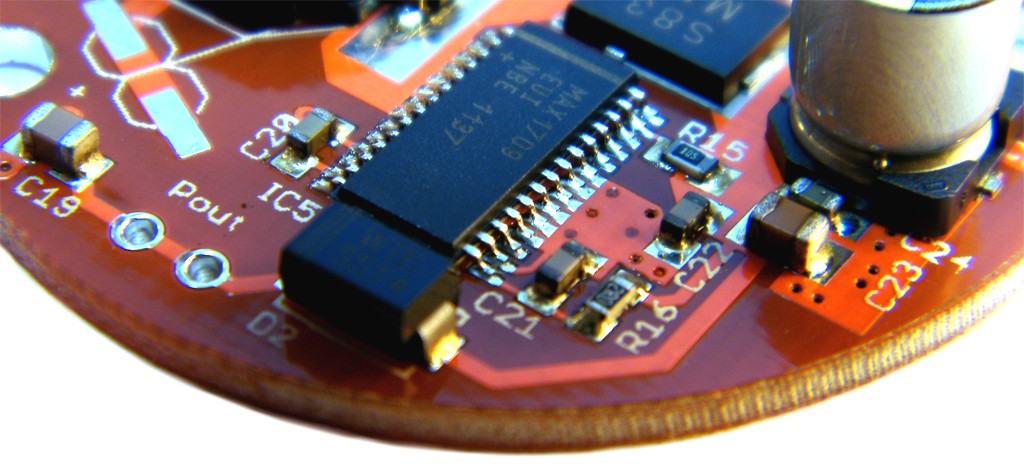
Here we have the circuit board with the solder paste applied, a little dab on each pad. The board is a switch mode boost power supply. For the controller chip, a long thin line of paste is applied as the pads are much too small to apply individually. When the solder paste liquifies, magical surface tension will clear the bits between pins. The same technique works for QFN and most other packages, smear on the paste, apply heat and let surface tension do it’s business.
Now that the paste is applied, the parts go on according to the schematic. The part numbers increment with a left-right top-bottom order such that it is easier to locate the part by table. The passives are mostly 0603 size with a few 10uF ceramics in 0805 scattered about, the transistors are SOT-23 and the remaining packages are particular to the part. Placement goes quickly and not much concern is given to accuracy. Here’s the PCB with the parts on, ready to bake.
The final step is baking, it goes in the oven for about five minutes on full blast which is a little more than the time it takes to liquify the solder. The magical surface tension pulls everything into place and with the right amount of paste any bridged pins will clear. The toaster oven is an IR radiant type with glowing heaters on top and bottom. This step is shown in video.
And after it comes out, a quick visual inspection reveals everything has placed well and there is no bridging between adjacent pins. The only thing left to do is apply power and make sure it works…